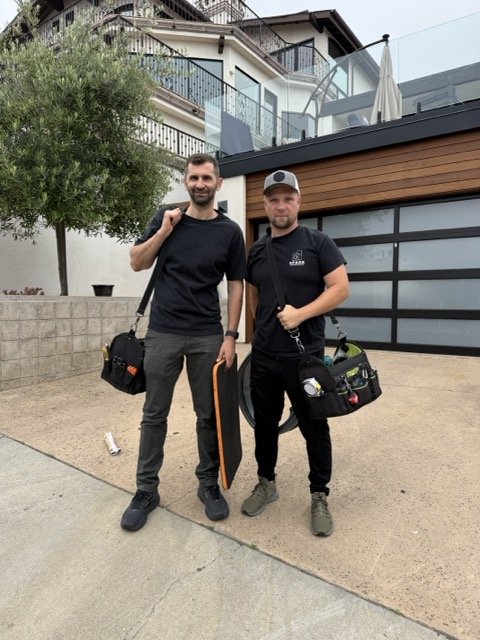
Where the frost is, what the compressor is doing, and what the display says — four patterns, and each one points at a different failure with a different fix.
A Samsung refrigerator that stops cooling almost always tells you what went wrong before a technician ever opens it up — you just have to know how to read the signs. Where the frost is, what the compressor is doing, and what the display says will narrow the diagnosis down fast. Below we match the four patterns we see most often on Samsung fridges across San Diego to what’s actually failing, what you can safely fix yourself, and when it’s time to hand it off.
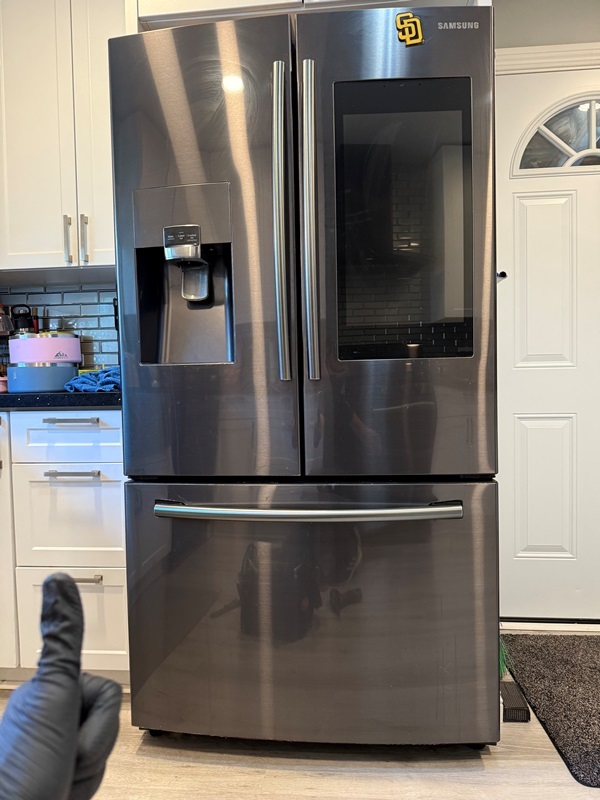
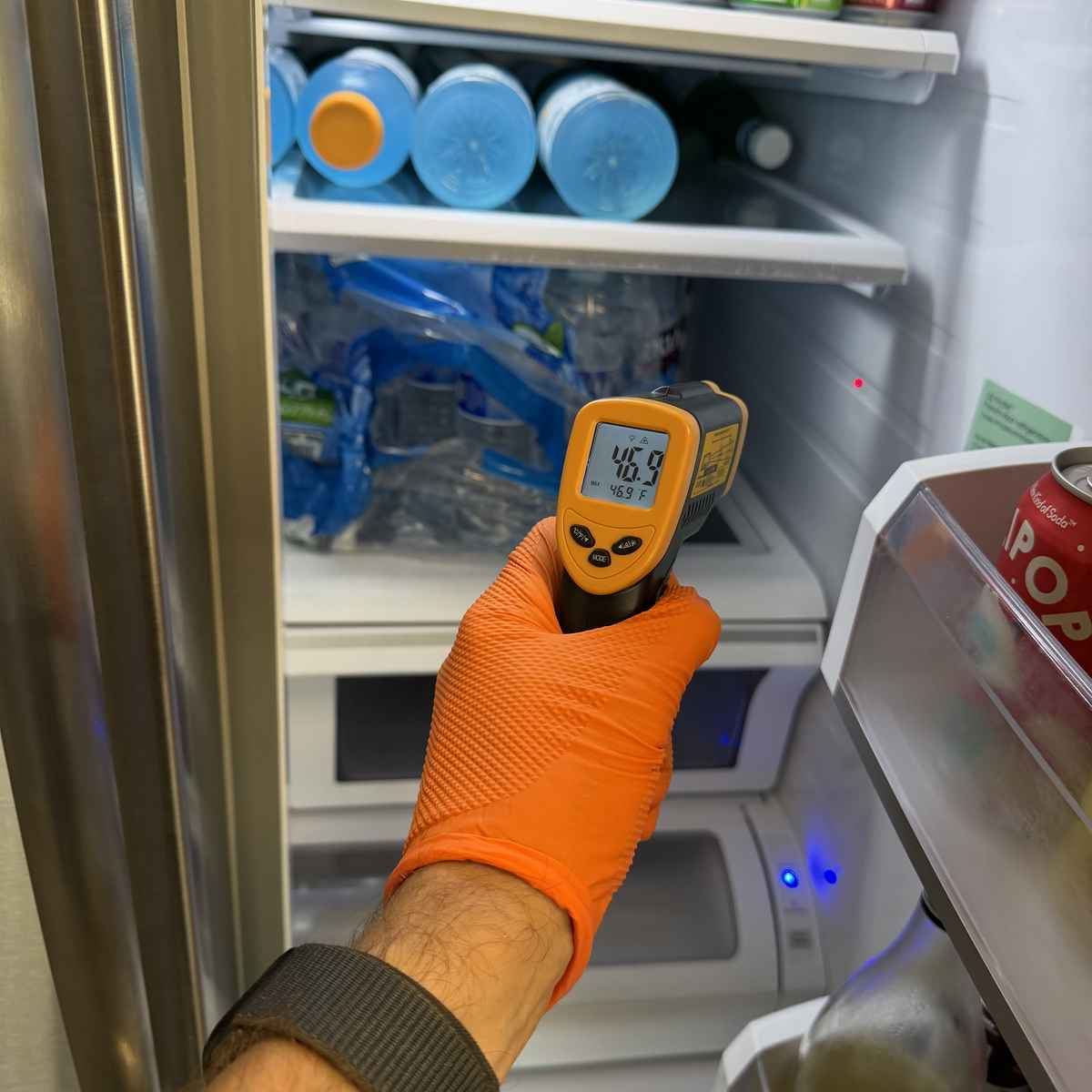
Match the pattern: what you see points to what failed
BBoth sections warmListen to the compressor: clicking, silence, or running-but-warm each mean something different
CLights and fans work but the display reads “OF OF”Demo mode. Nothing is broken
DWeak cooling after a power outage or a door left openUsually recovery, sometimes a gasket — know what’s normal before you panic
The Samsung classic: fridge warm, freezer fine, and a buzz behind the back wall
This is the single most common Samsung cooling call we run. Most Samsung refrigerators use Twin Cooling Plus — separate evaporator coils and fans for the fridge and freezer sections. That’s why the freezer can keep working perfectly while the fresh-food side climbs into the 50s: only the fridge-side evaporator, hidden behind the rear interior panel, has a problem.
Here’s the usual chain of events. The small defrost drain behind that panel clogs or freezes shut. Meltwater from the normal defrost cycle can’t escape, so it pools and refreezes on the evaporator coil. Each cycle the ice sheet grows until it reaches the evaporator fan. First the fan blades start clipping the ice — that’s the buzzing, chirping, or grinding noise from the back wall that stops when you open the door (the fan cuts off). Eventually the fan is fully encased and goes silent. No fan means no cold air pushed into the fridge, and the compartment slowly warms while the freezer hums along. If your display throws a fan-error code like 21 E, it’s pointing at this same iced fan.
Telltale signs: the rear interior panel is frosted, sweating, or bulging; temperatures drift up over days rather than overnight; the buzz got louder for a week and then stopped right before the fridge got warm.
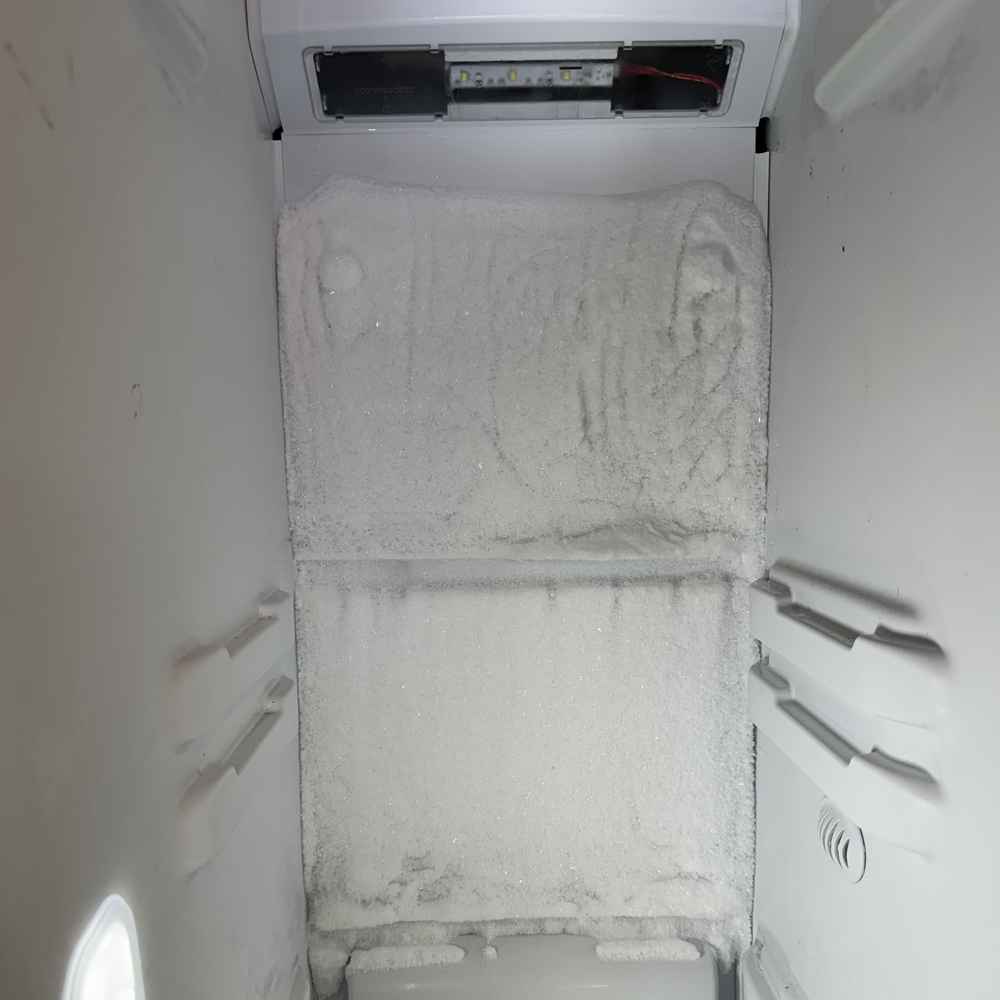
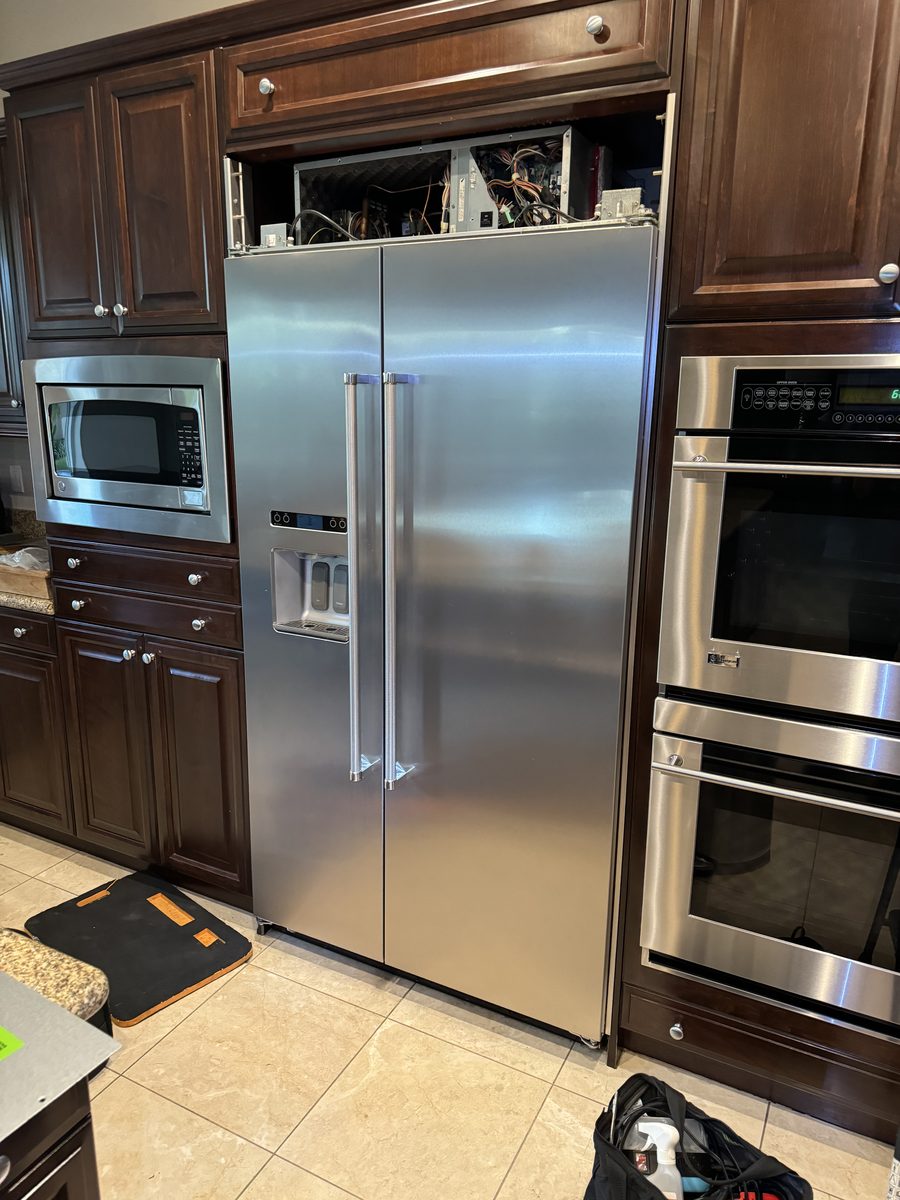
Why the ice comes back after you defrost it
Plenty of homeowners have already “fixed” this once: unplug the fridge, leave the doors open for 24–48 hours, and cooling comes back. Then three to six weeks later, the same buzz, the same warm fridge. That’s because melting the ice treats the symptom, not the cause. The clogged or frozen drain, a failed defrost sensor, or a weak defrost heater is still there, so the ice sheet simply rebuilds. A lasting repair means opening the rear panel, clearing and often modifying the drain path so it can’t refreeze, and testing the defrost sensor and heater — replacing whichever component actually failed. That’s the difference between buying a month and buying years.
Forced defrost: the shortcut technicians use
Samsung builds in a forced defrost mode (Fd) that runs the defrost heaters on demand. On most tabletop-display models you press and hold Power Freeze + Fridge for about 8 seconds until the display blanks, then tap to cycle through the modes until Fd appears. The unit beeps through the cycle, and you may hear hissing and soft pops as ice melts off the coil — that’s normal. Forced defrost is faster than a 48-hour thaw and useful for confirming the diagnosis, but it’s still temporary for the same reason: it doesn’t fix the drain or the failed defrost part. Button combinations vary by model, so check your manual before experimenting.
Both sections warm? Put your ear to the compressor
When the fridge and freezer are warm, the problem has moved from airflow to the cooling machinery itself. The compressor at the back tells you which way to look:
- Silent, with a click every few minutes. The start relay is trying and failing to start the compressor, and the overload protector keeps cutting it off. On the Samsung models that use a conventional relay, this is one of the cheaper cooling repairs.
- Completely silent, no clicking, lights on. Most newer Samsungs run a digital inverter compressor driven by an inverter control board. When the board fails, the compressor never gets its start command — the board’s status LED blinks a fault pattern a technician can read. Board or compressor, this is a diagnosis job, not a parts-cannon job.
- Running steadily but barely cooling. First suspects are simple: condenser coils matted with dust and pet hair, or a dead condenser fan, so the fridge can’t dump heat. Pull the base grille or rear access panel and look. If the coils are clean, the condenser fan spins, and the compressor is hot and running while both compartments stay warm, refrigerant is likely leaking from the sealed system. Sealed-system work requires EPA 608 certification and refrigerant recovery equipment — it is never a DIY repair, and it’s the point where repair-versus-replace deserves an honest conversation.
Recognize your pattern? We can confirm it today
Same-day Samsung cooling diagnosis across San Diego County — call before noon. $90 service call, credited toward the repair.
Lights on, fans humming, display reads “OF OF”: demo mode
If everything on your Samsung seems alive — interior lights, display, even fan noise — but nothing gets cold and the panel shows OF OF, O FF, or scrolling bars, the refrigerator is in Cooling Off mode, better known as demo or showroom mode. It exists so retail floor models can run their displays without cooling, and it shuts down the compressor, ice maker, and (on some models) the water dispenser. Homeowners trigger it by accident more often than you’d think: holding the wrong two buttons while wiping down the control panel is the usual culprit, and it sometimes surfaces after a power blink.
The exit is a button combination — on many models, pressing and holding the top two buttons on the panel until the unit chimes; others need a three-button hold. Family Hub models turn it off in software: Fridge Manager → Fridge Settings → Cooling Off → Deactivate. The exact combo varies by model, so look up yours before calling anyone — this one costs nothing to fix.
Warm after an outage or a door left open: know what recovery looks like
After power returns, a Samsung compressor may wait several minutes before restarting — that protection delay is normal, not a fault. From there, expect a fully warmed refrigerator to take several hours to pull back down, and up to 24 hours to fully stabilize. Help it along: keep the doors closed as much as possible, and don’t restock it with warm groceries while it’s recovering.
A door left ajar overnight adds a wrinkle: humid room air will have frosted the evaporator. Often the normal defrost cycles clear it over a day or two. But if the freezer recovers and the fridge section stays warm past 24 hours, you’ve likely kick-started the iced-evaporator pattern from the top of this guide.
While you’re at it, check the door itself. Close the door on a dollar bill — if it slides out with no resistance, the gasket isn’t sealing there. Look for a sagging or misaligned door hinge (common on heavily loaded French-door models), condensation along the door edges, or a gasket that’s torn or hardened. A leaking door makes the fridge run constantly, ice up faster, and cool unevenly.
The DIY boundary, drawn honestly
Safe to do yourself: checking settings and vents, exiting demo mode, vacuuming the condenser coils, testing and cleaning the door gasket, a manual or forced defrost to restore cooling temporarily, and giving the unit fair recovery time after an outage.
Leave to a technician: anything behind the rear evaporator panel (drain modification, defrost sensor and heater testing), start relay and inverter-board diagnosis, compressor work, and all sealed-system repair. These involve live electrical testing, refrigerant, and panels that crack easily when removed cold — and a misstep can turn a moderate repair into a replacement.
What a Samsung cooling repair costs in San Diego
Spark’s $90 service call fee is credited toward the repair when you proceed, so the diagnosis effectively costs nothing if we do the work. Demo mode we’ll flag for free over the phone. Defrost-system repairs (drain, sensor, heater, fan) sit in the moderate range; start relays are on the low end; inverter boards cost more; and sealed-system or compressor jobs are the top end, where our technician will give you a straight repair-versus-replace answer based on the unit’s age. Every repair is backed by our 90-day warranty on parts and labor.
Frequently Asked Questions
Why is my Samsung refrigerator warm but the freezer still works?
Most Samsung refrigerators cool the fridge and freezer with separate evaporators and fans (Twin Cooling Plus). When the fridge-side evaporator behind the rear panel ices over — usually because the defrost drain clogged — its fan can’t circulate cold air, so the fridge warms up while the freezer keeps working. This is the most common Samsung cooling failure we repair.
Why does my Samsung fridge buzz and then stop cooling?
That buzz is usually the evaporator fan blades clipping a growing sheet of ice behind the rear panel. When the ice finally encases the fan, the noise stops — and so does the cold airflow into the fridge section. The noise pausing when you open the door is a giveaway, since the fan shuts off with the door.
I defrosted my Samsung refrigerator and it worked — why did the ice come back?
Melting the ice treats the symptom, not the cause. If the defrost drain is still clogged, or a defrost sensor or heater has failed, meltwater keeps refreezing on the evaporator and the ice sheet rebuilds within weeks. A lasting fix clears and protects the drain path and replaces the failed defrost component.
What does OF OF mean on a Samsung refrigerator display?
OF OF (or O FF, or scrolling bars) means the refrigerator is in Cooling Off mode — demo mode for showroom floors. Lights and the display work, but cooling and ice making are disabled. Exit it with a model-specific button hold until the unit chimes, or on Family Hub models via Fridge Manager settings. Nothing is broken.
How much does it cost to fix a Samsung refrigerator that isn’t cooling in San Diego?
Spark charges a $90 service call fee that’s credited toward the repair if you proceed. Defrost-system and fan repairs sit in the moderate range; start relays cost less; inverter boards, compressors, and sealed-system work cost more. Every repair includes a 90-day warranty on parts and labor.
How long should a Samsung fridge take to cool down after a power outage?
The compressor may wait several minutes to restart after power returns — that’s normal. A warmed refrigerator typically needs several hours to pull back down and up to 24 hours to fully stabilize. Keep the doors closed and hold off on restocking warm groceries. If the fridge section is still warm after 24 hours, call a technician.
Samsung fridge still warm? We can fix it today
Same-day service available across San Diego County when you call before noon. Our licensed and insured technicians repair Samsung refrigerators daily — iced evaporators, inverter boards, compressors, all of it — with the $90 service call fee credited toward the repair and a 90-day warranty on parts and labor on every job.